Out now

Find lost beats

Finish more music

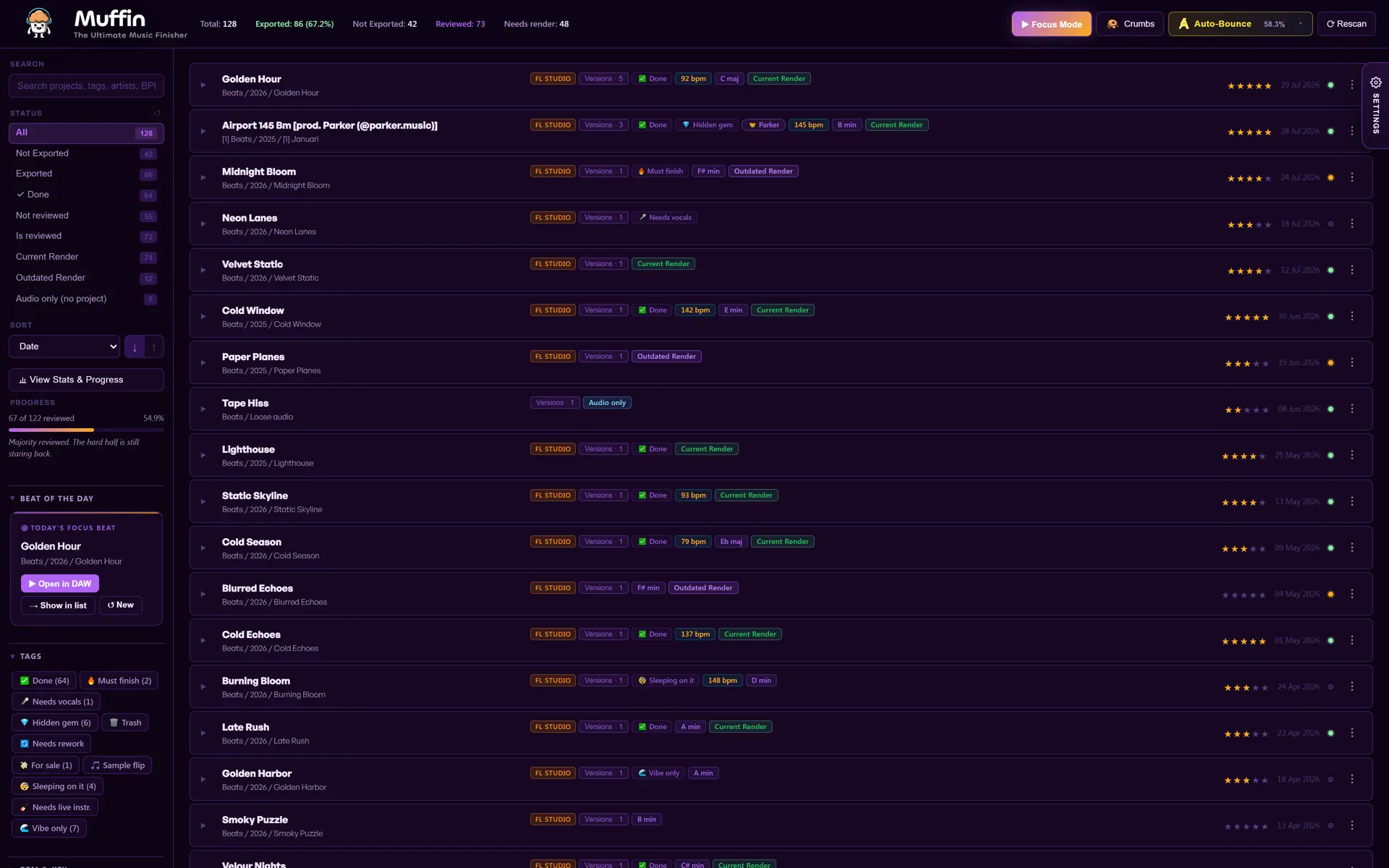
Muffin finds every beat on your hard drive and puts them in one searchable library.

Free Download Unlock everything for €15 30-day money-back guarantee

Free for 25 projects, no account needed · Windows 10 and 11
Muffin beat library organizer: every music project rated, tagged and render-checked

Compatible with all DAW's

Ableton Live logoAbleton Live FL Studio logoFL Studio Cubase logoCubase Reaper logoReaper Reason logoReason

Auto-Bounce works with FL Studio .flp projects on Windows only. Muffin's library, preview and Mix Check features work across the DAWs above.

Windows only for now. MacOS is not yet supported.

Built against producer chaos

Old beats stop feeling
like a pile of files

Muffin puts every beat on your drive in one clear overview. Not just to keep things tidy, but so you actually pick old ideas back up and finish them.

Find ideas fast

Search any beat and filter on status, genre, key, BPM, year and tags.

instant clarity

Hear before opening

Play any beat straight from the list, so you never open your DAW just to check how it sounds.

less friction

Finish in batches

Select your FL Studio projects, hit Auto-Bounce and get fresh exports without opening a single project yourself.

more output
Inside the app

Every project, sample and render
on one screen

Four screens do the work: your beat library, the samples hiding inside it, hands-free rendering and one last check before you upload.

1

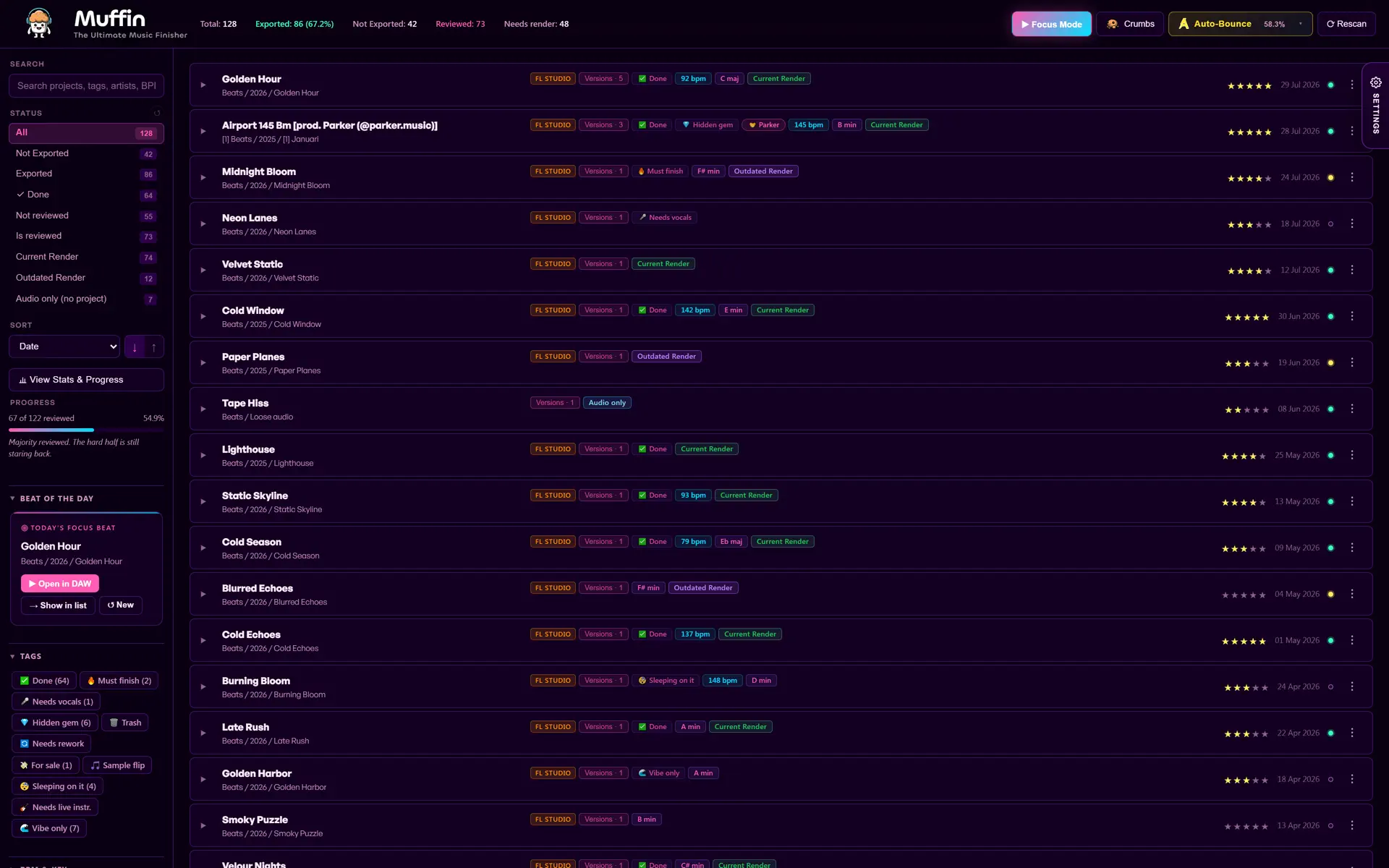
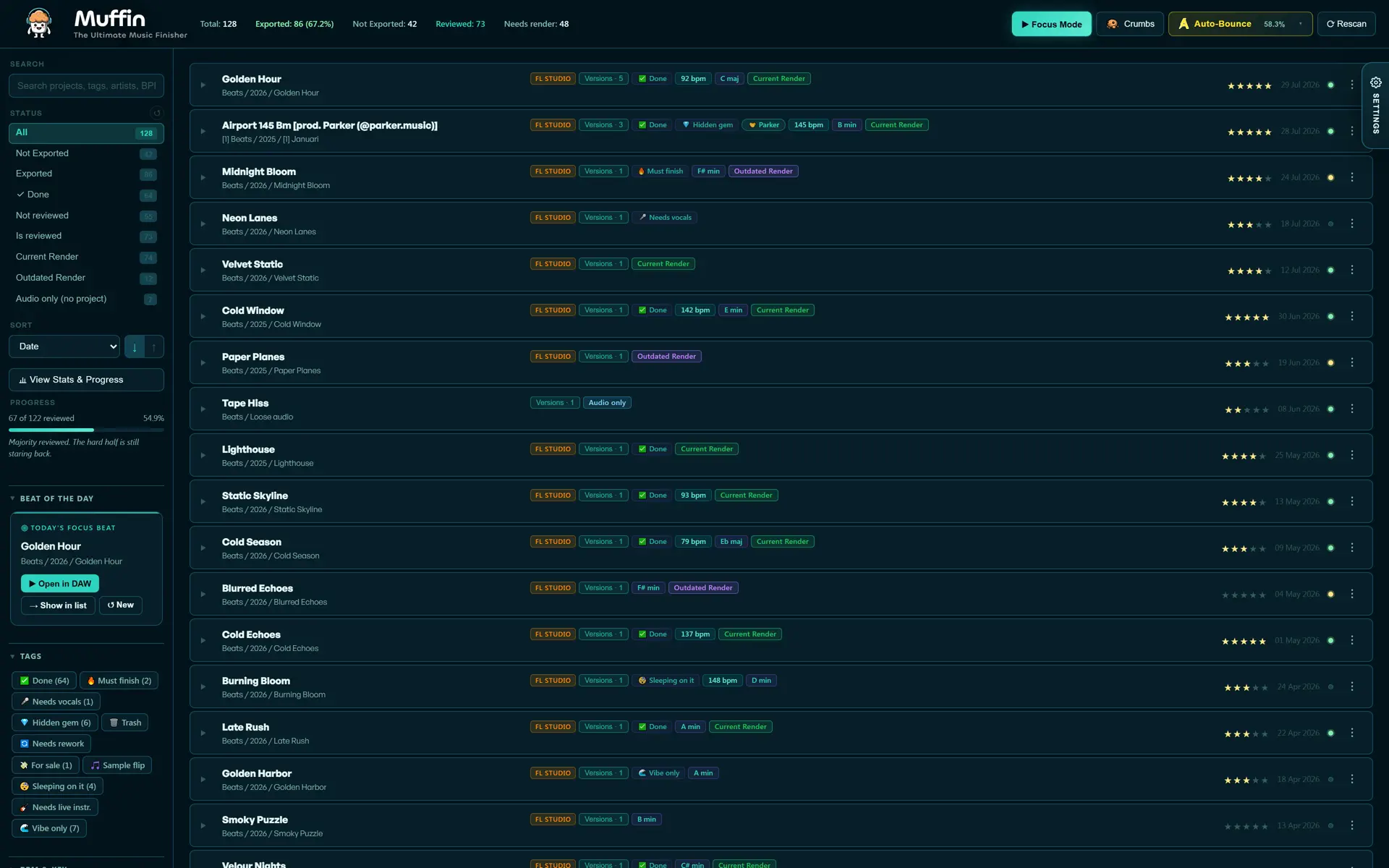
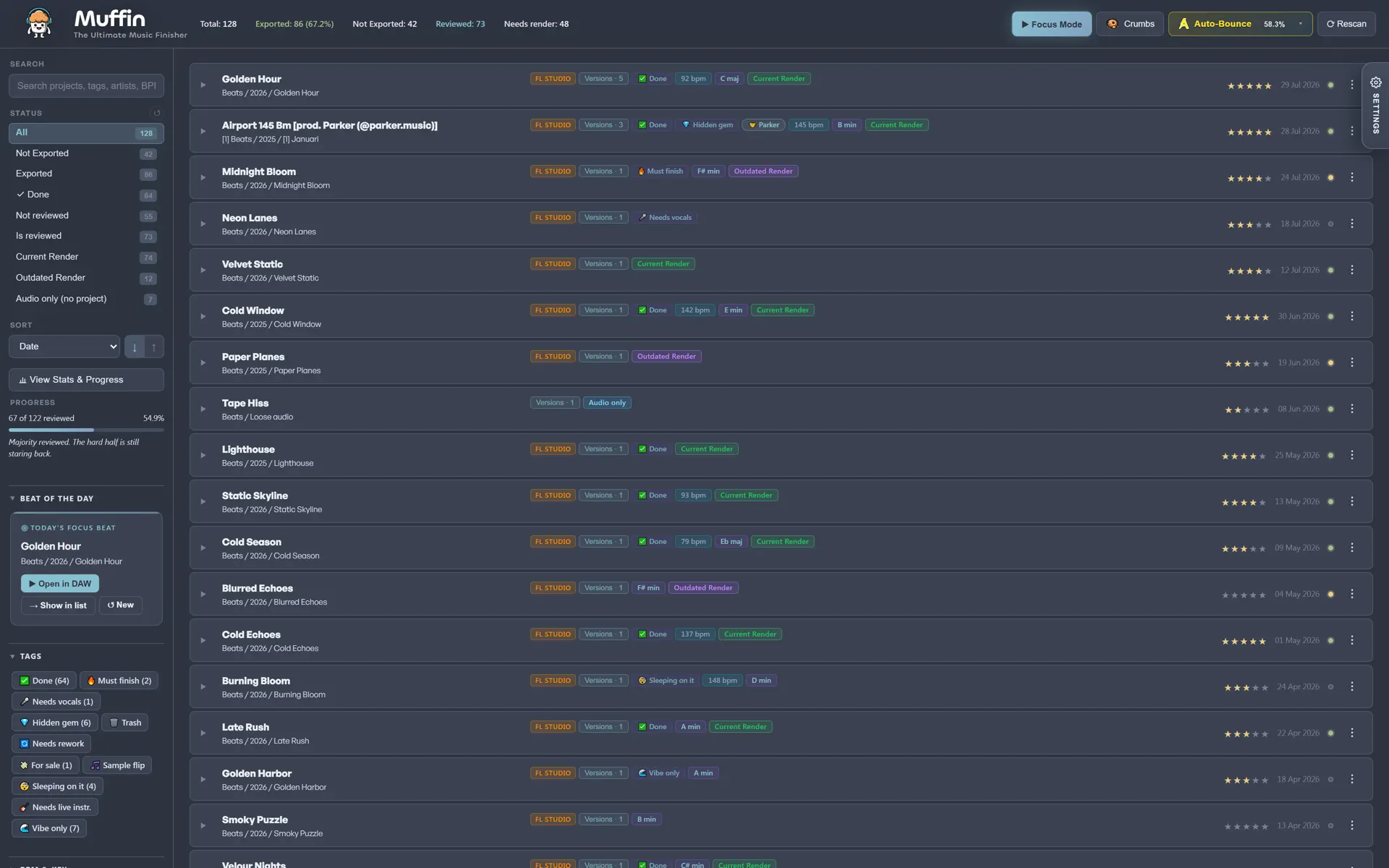
Your projects and renders in one library

Muffin scans your drives and pairs every project with the audio you exported from it, so a beat and its renders sit on one row instead of in two folders. Filter and sort on status, genre, key, BPM, year, rating or your own tags, and search the lot.

2

Find the samples and MIDI inside old projects

Crumbs indexes the sounds your projects are built from: samples, MIDI patterns and channels. Every crumb shows which project it came from and where the file lives.

3

Batch render FL Studio projects

Queue everything that needs a fresh bounce. Auto-Bounce drives FL Studio in the background, shows you which project is rendering and how far it is, and hands back a WAV or MP3 per project.

4

Know if a mix is ready to upload

Mix Check reads peak, loudness, dynamics and stereo width, and estimates what Spotify, Apple Music and YouTube will do to your track.

Real screens from Muffin on Windows, each one in a different built-in theme. Nothing here is a mockup or a render.

Click to zoom in ↗
Download

Start free
or unlock everything

Muffin scans your whole drive and shows every project you own. Work on 25 for free, or unlock the whole catalogue with a one-time payment.

Free Free Download

Free forever on 25 projects. No account, no card.

Windows warning during installation?

Windows or your antivirus may flag this download. No worries, it is NOT a virus. If you’re unsure, contact me before installing.

  • 25 projects fully unlocked: tags, ratings, notes, playback, versions, Mix Check and Auto-Bounce
  • Full scan of your whole drive: every project stays visible with its counters
  • No time limit, no account, works offline
  • Projects outside your 25 stay visible but locked

Pick carefully. A project slot is permanent. Once you use one of your 25, it stays on that project.

Launch price
€15 one time
  • Unlimited: work on all your projects
  • Every feature on every project, nothing held back
  • Batch tagging, rating and Auto-Bounce across your whole catalogue
  • One-time payment, all future updates included
Unlock everything 30-day money-back guarantee
  • Muffin 1.6.3 · Windows 10 and 11
  • 19.3 MB installer · works offline

Check the file before you run it · SHA‑256 of Muffin-1.6.3-Setup.exe
413f1e4d9ba82f95f4b0bb44e95a7dd6c6c6511302a41fdb1be0b843c40555ef

From chaos to catalogue

How Muffin works

This is the finishing loop Muffin builds around your library. Do it once, then every session starts with momentum instead of folder archaeology.

01

Point it at your folders

Muffin scans and indexes your projects, renders and loose audio into one library.

02

Rate, tag, filter

Stars, statuses, genres, keys and BPM turn a pile of files into a browsable catalogue.

03

Preview & compare

Audition matched renders and A/B/C/D versions without opening your DAW once.

04

Bounce fresh exports

Auto-Bounce renders FL Studio projects in the background while you keep working.

Upgrade

Ready for more
than 25 projects?

Launch price
€15 one time

Launch price. Muffin goes to €30 later.

Unlock everything 30-day money-back guarantee
  • Unlimited projects, not just your 25 free slots
  • Batch tagging, rating and Auto-Bounce across your whole catalogue
  • Every project unlocked: playback, versions, notes, Mix Check and Crumbs
  • One time payment, all future updates included
Is the free version really free?

Yes. Muffin scans your whole drive and you work on 25 projects of your choice with nothing held back. No time limit, no account, no card. Projects outside those 25 stay visible but locked.

Can I swap my 25 free projects?

No. A slot is permanent, so pick projects you actually want to finish. Unlocking the full version removes the limit and keeps everything you already did.

How do I unlock after buying?

You get a license key by email. Paste it into Muffin once and the limit is gone on that machine. It keeps working offline.

Who is Muffin for?

Beatmakers, producers and songwriters with too many unfinished projects, exports and random folders.

Does it replace my DAW?

No. Muffin sits above your DAW as your finishing dashboard. Open, preview, compare and organise from one place.

Which DAWs are supported?

Muffin indexes common project formats. Auto-Bounce is designed for FL Studio .flp projects on Windows.

What happens to my files?

Muffin indexes and reads your projects and audio locally. It does not change or move your original files.

Does it work offline?

Yes. The core Muffin workflow runs locally on your own computer.

Do I get updates?

Yes. Buying Muffin includes future updates to the app.

What if you stop working on Muffin?

Muffin runs locally on your computer, so the version you own keeps working for you either way.

Your best beat is probably
already on your drive

Muffin helps you find it, hear it and finish it. Build the library once, then use it every time you need momentum.

Free Download